My Twitch setup December 7, 2023
Posted by Mike C. in Audio, Computer, Internet, Livestream, Personal, Technology, Video.trackback
RELATED: “Back after this” music cue mixes
Updated 10/15 and 12/31/24, 1/10, 5/8, 7/16, 7/20, 7/23, and 11/30/25, 1/9, 1/18, 2/4, and 3/30/26 with setup changes
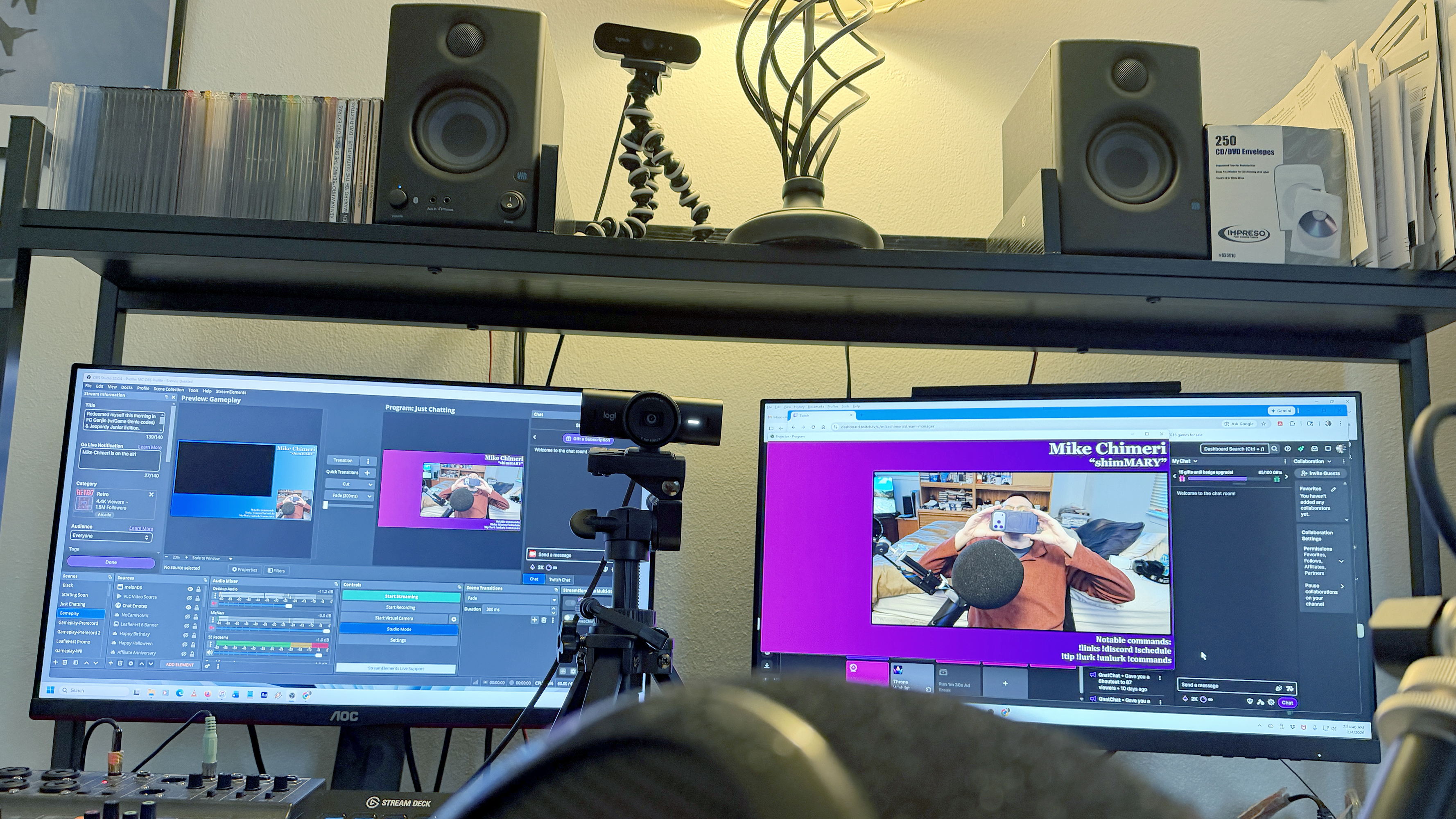
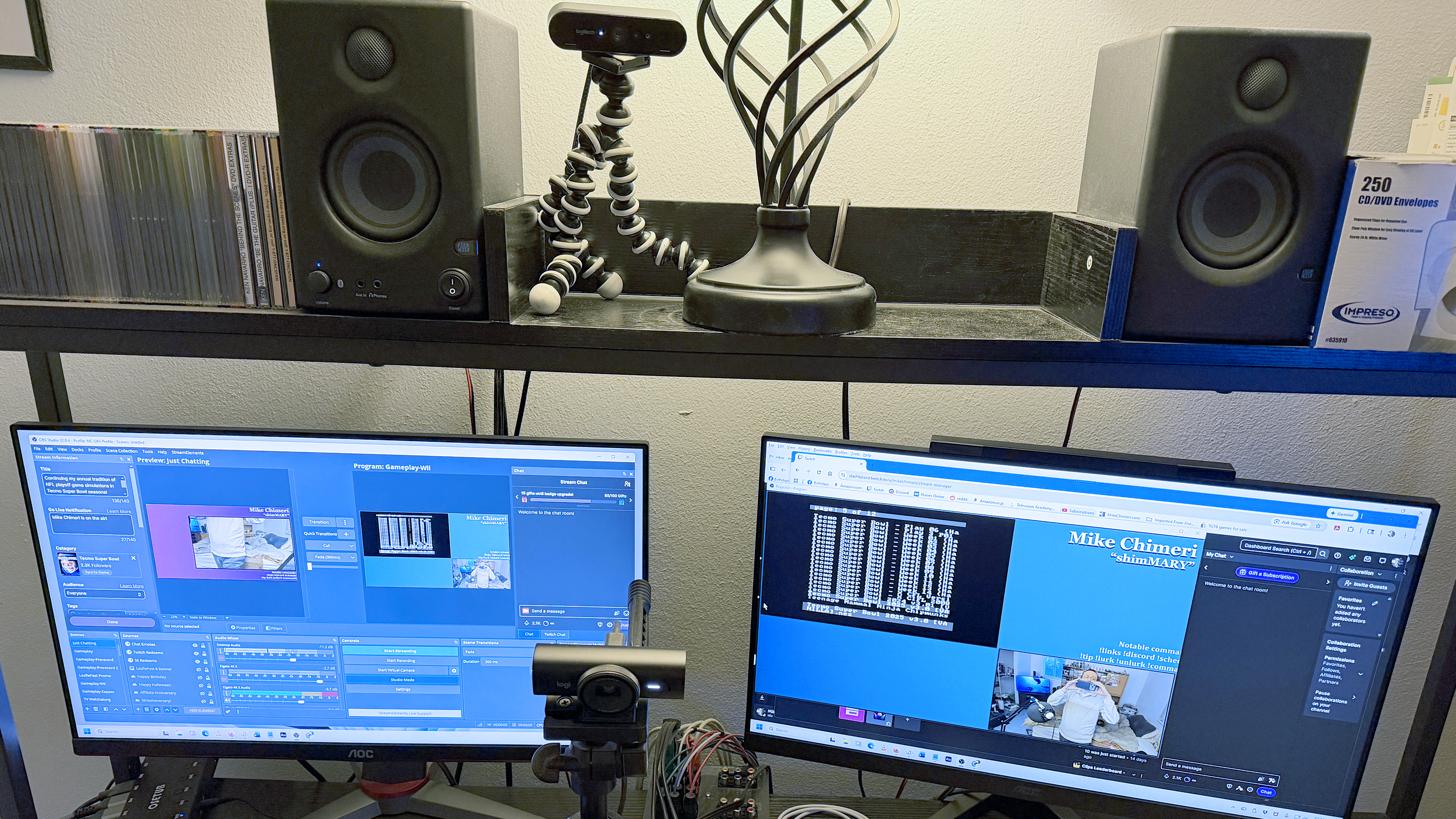
In case you’re wondering, this is the gear that goes into my Twitch streams (UPDATED 10/15 and 12/31/24, 1/10, 5/8, 7/16, 7/20, and 8/20/25, 1/9, 1/18, 2/4, and 3/30/26):
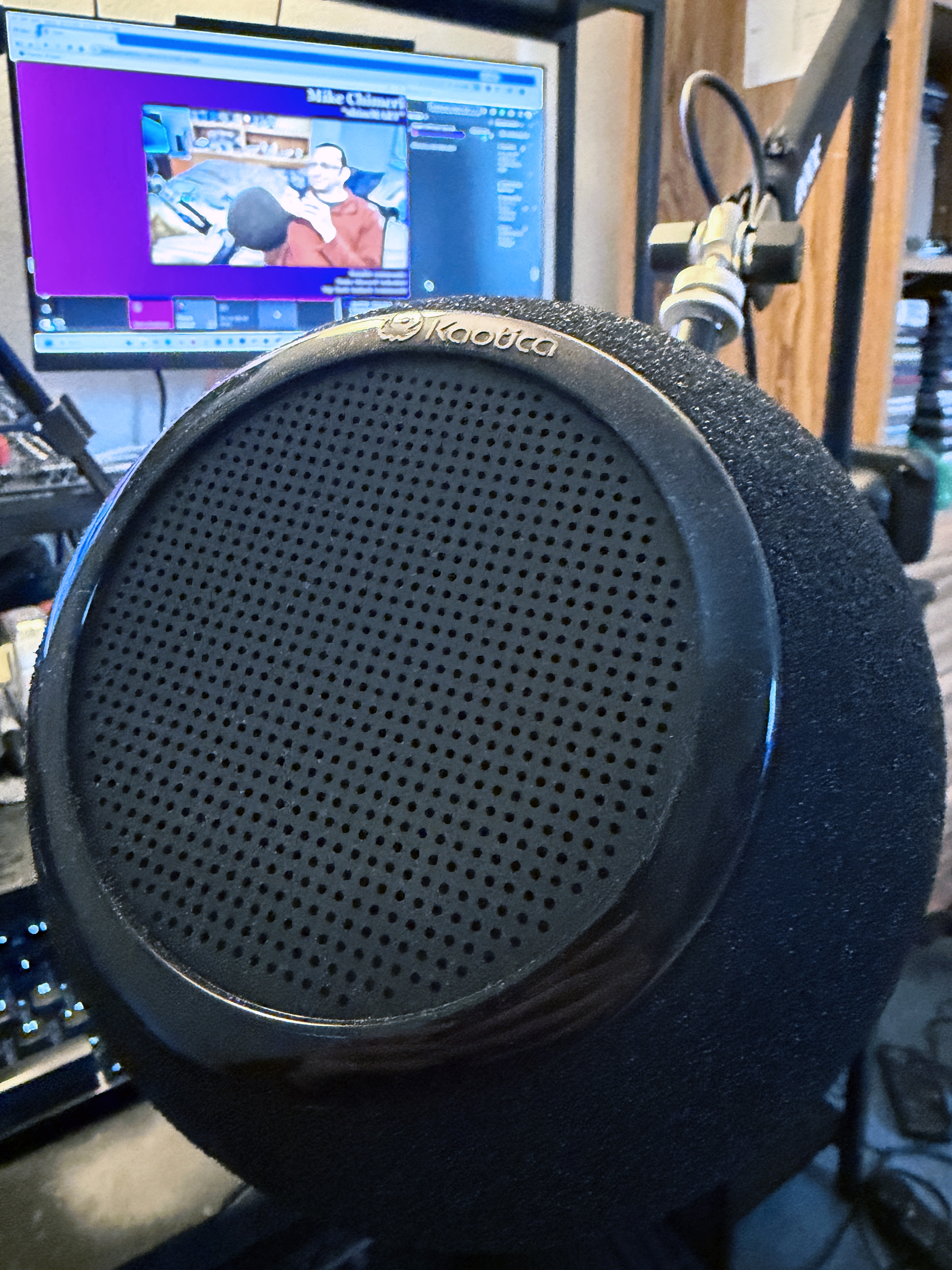
Audio-Technica AT2020 XLR condenser mic (the listing is for black, but my variant is white)Shure SM7dB with dynamic vocal with built-in preamp- Kaotica Eyeball sound isolation shield (Kaotica 7b variant as of 1/18/26)
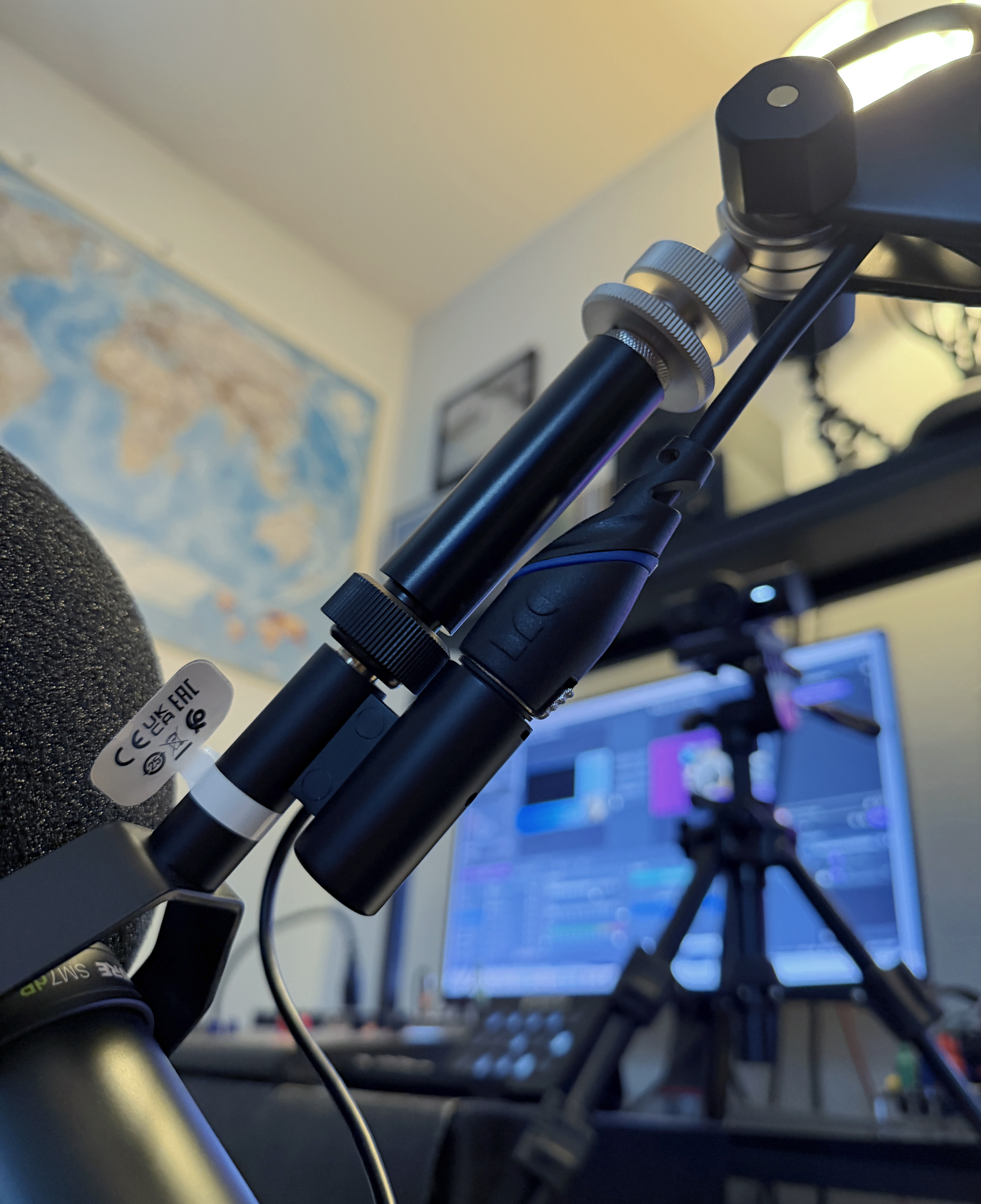
Koolertron shock mountNeewer boom scissor mic arm standRode PSA1+ Professional Studio Arm- Boseen 5/8 inch male to female mic stand extension tube – Without this, the XLR cable jack (cable listed below) will brush up against the boom arm screw and chip the exterior
6-foot Amazon Basics XLR male to female cable with 3-foot Vandesail cable (part of 2-pack) to compensate for spool above Rode boom armMonster S100-M-10 10-foot XLR male to female cable (ordered in January 2011 from Amazon; no longer available)- Zoom LiveTrak L-8 mixer
- Logitech MX Brio webcam
- Logitech Brio webcam (now a secondary webcam for alternate perspectives)
- RetiCAM MT01 mini tripod
- Digicharge 10-inch Octopus Flexible Tripod
- Purple Panda Lavalier Microphone – used for games that require standing, in conjunction with Brio and Digicharge tripod when placed atop hutch (as in photo below gear list)
- Elgato Stream Deck MK.2
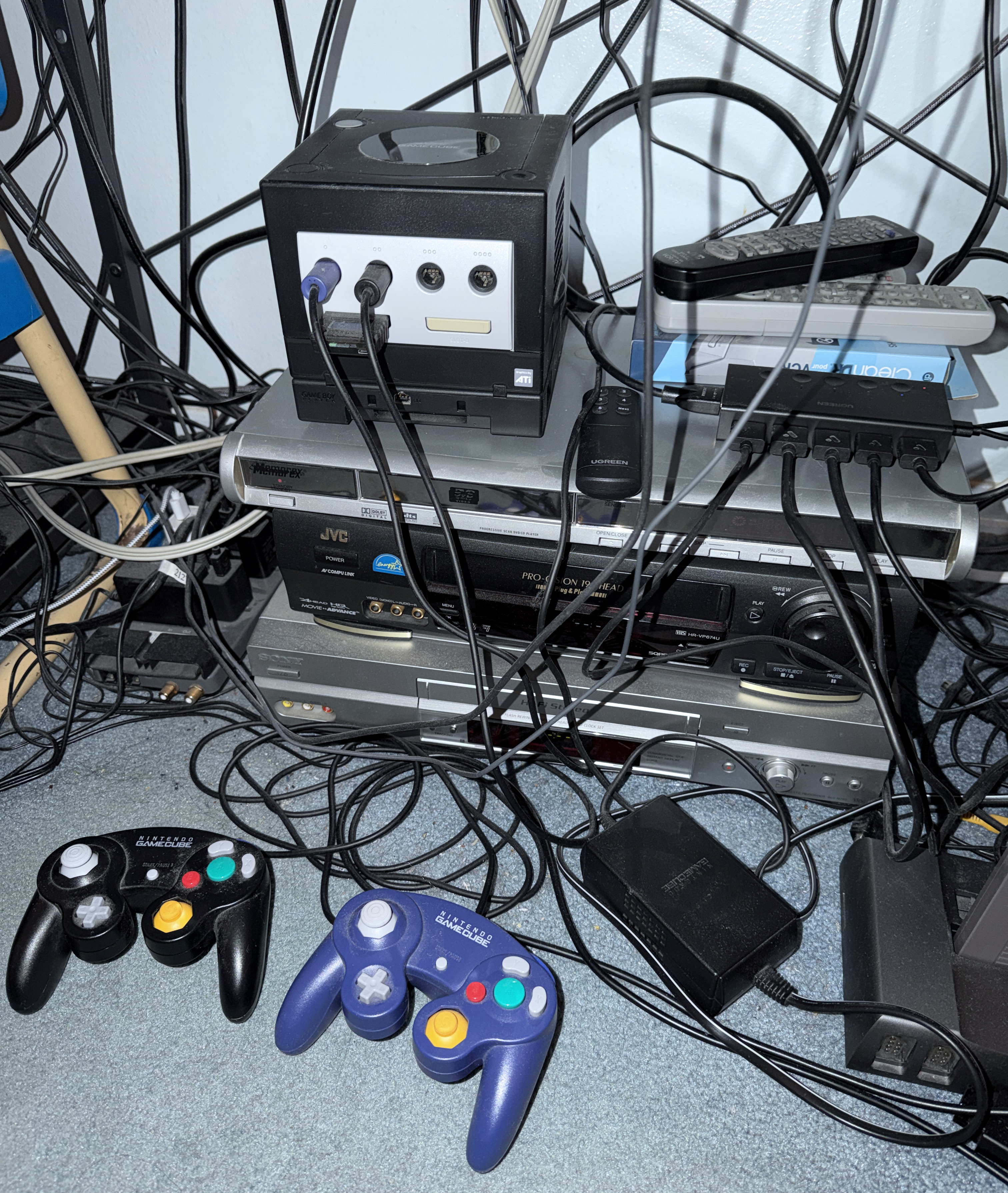
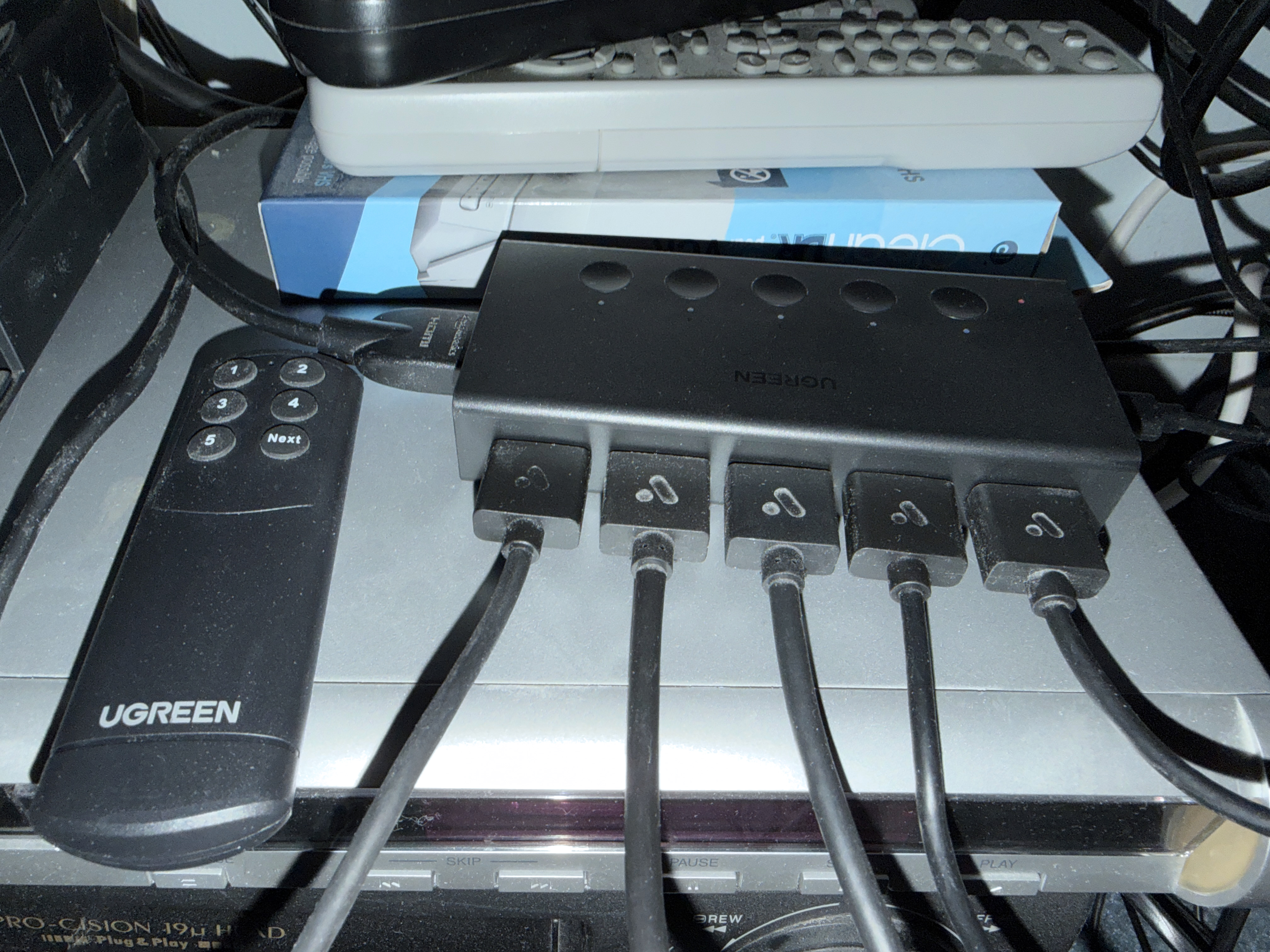
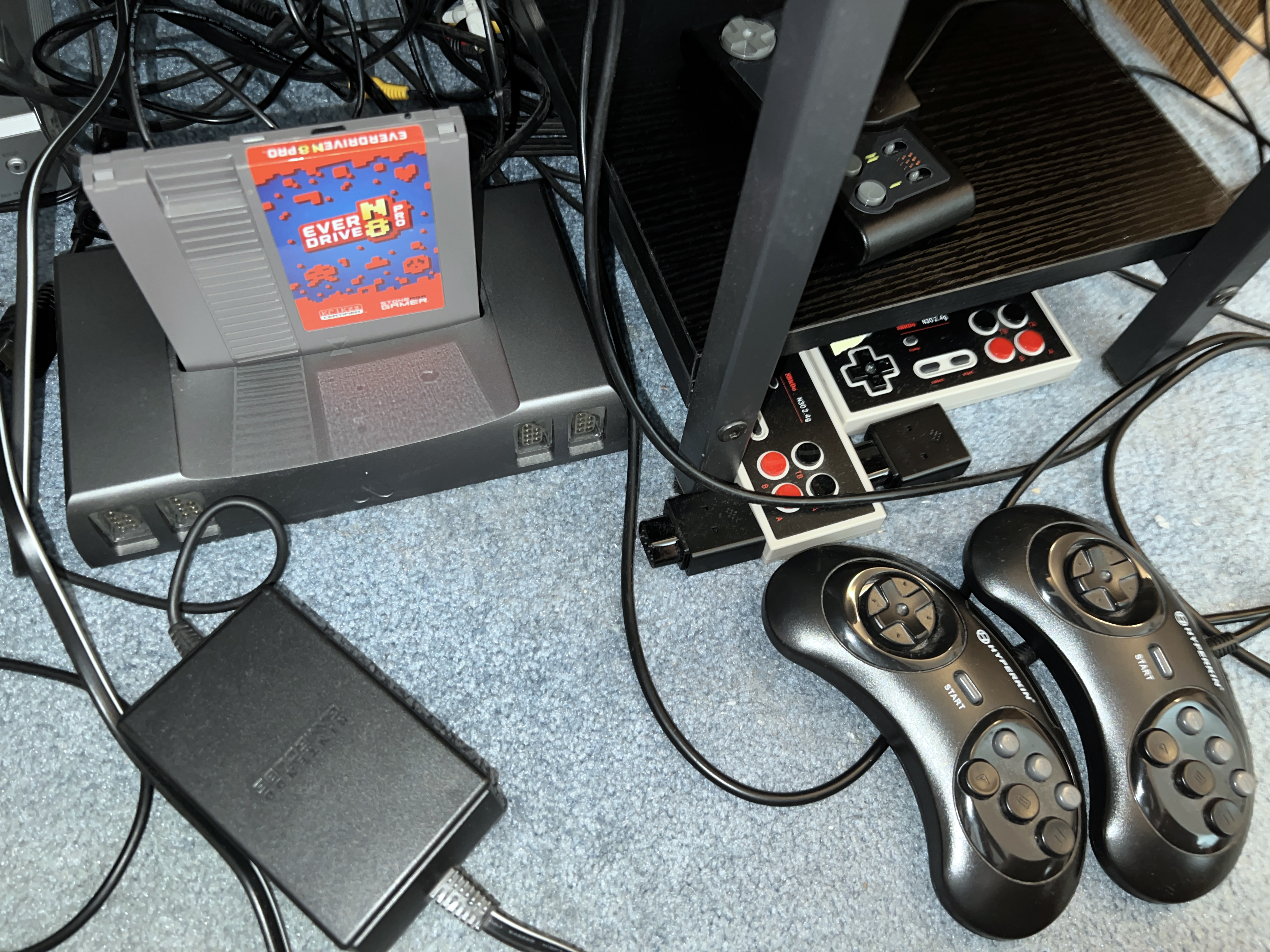
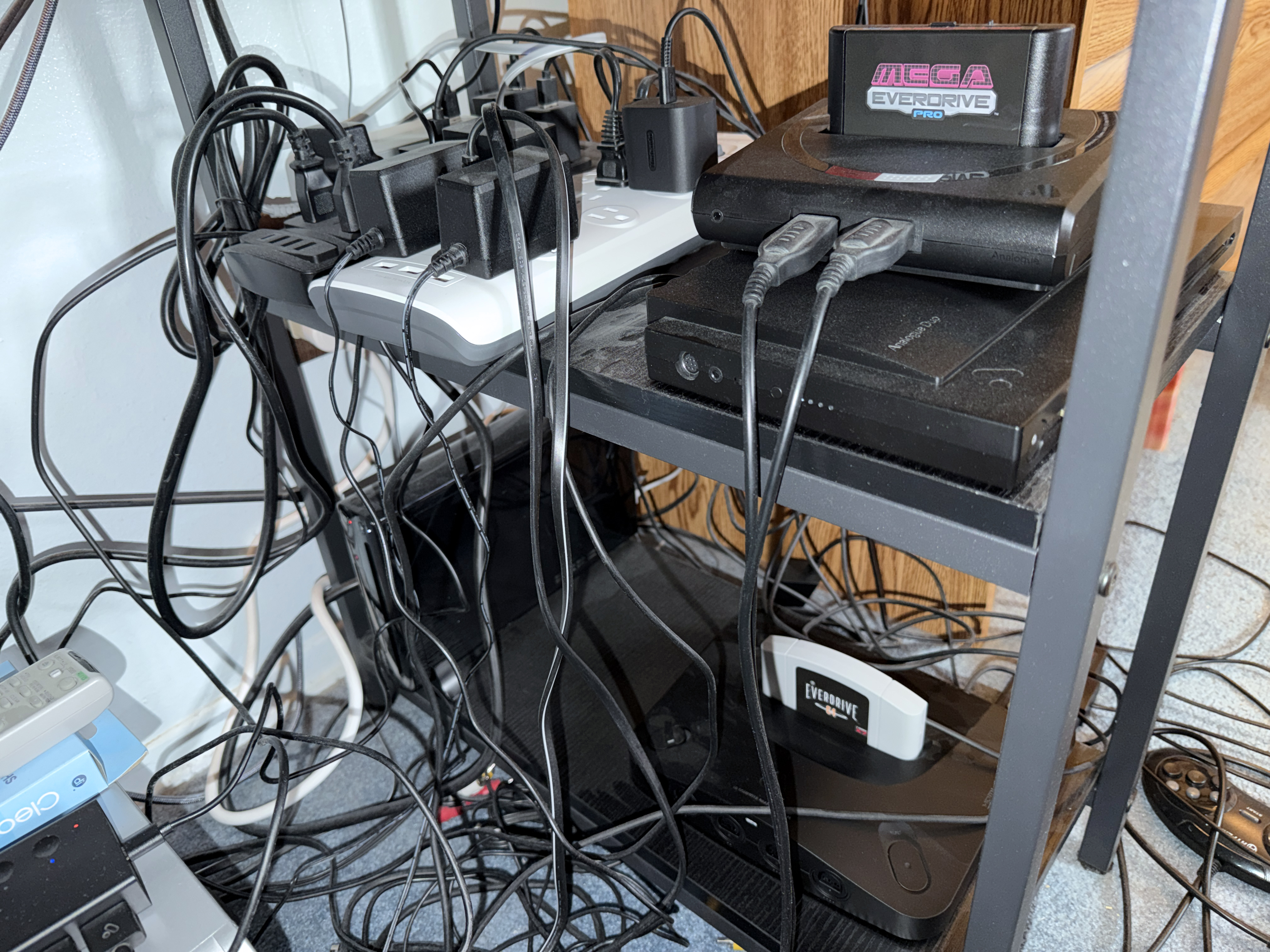
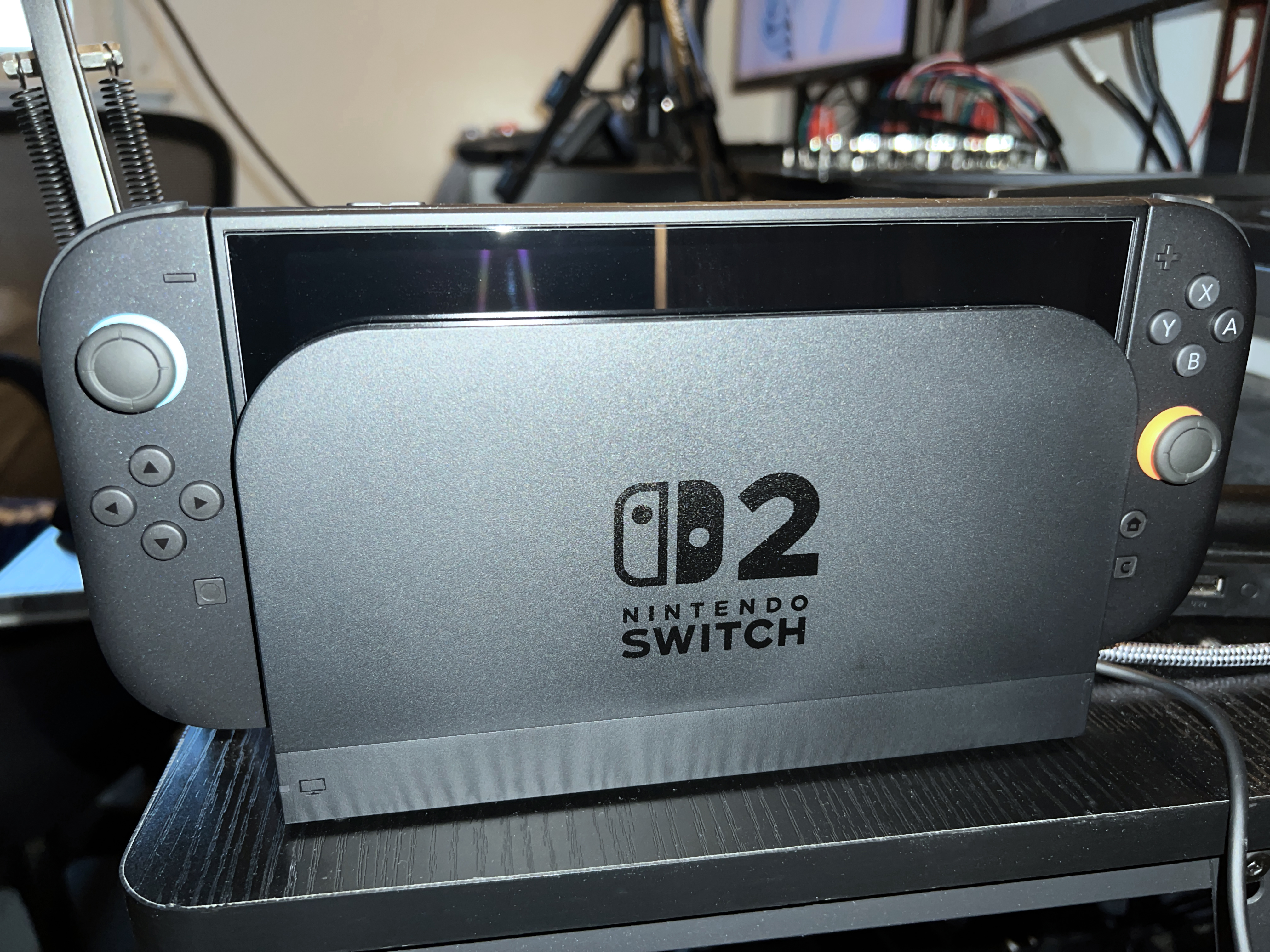
Elgato 4K60 Pro MK.2 internal capture cardAVerMedia Live Gamer Ultra 2.1Elgato 4K X – I have four modern video game consoles set up by my TV. A PS5, Xbox Series X, Nintendo Switch, and Xbox 360 are connected to a a 5-port HDMI switcher with the fifth port reserved for off-stream captures from my cable box (connected to my TV and the switcher via a 2-port splitter). A 25-foot Amazon Basics HDMI cable runs from the switcher, behind my shelf, under my bed, and to port 1 of a 7-port switcher that is connected to the capture card via 3-foot cable. Port 2 runs to still another 5-port HDMI switcher below my desk for my Wii U and FPGA clones of retro gaming consoles. Those consoles are Analogue Nt Mini Noir (NES), Mega Sg (Sega Genesis), Duo (as in TurboDuo), 3D (Nintendo 64), and the Pocket Dock for portable console gaming (Game Boy, Game Boy Color, and Game Boy Advance natively, plus other portables via adapters). (3/30/26 UPDATE: This switcher was only good up to 1080p. So, I swapped it out for the 4K 5-port switcher that the 7-port switcher replaced.) Port 3 is for the Analogue Super Nt (Super NES) to make room for the Duo and 3D since it is the closest to the 7-port switcher. Port 4 runs to my Switch 2 dock (the only console on my desk) via a 10-foot Highwings HDMI cable. The same model and size cable runs from Port 5 to the Wii U. Port 6 is connected to a RetroTINK-4K for upscaling of composite video and component (YPbPr) video, whether for VCRs or analog (not Analogue) video game consoles. The component cables connected to the RT4K are input from a gcomp Automatic 8:2 Component/Composite Switch. So far, my GameCube and PS1 (Sony PlayStation) are connected. The PS2 and Sega Saturn cables will be added once I bring those up from the basement. My slim PS3 will be the last console to move out of the basement (not counting the various minis). I’m not sure where it’ll go, but it may go where the Switch is now. (I’d need another 2-port splitter for the PS3.)- Logitech G413 SE mechanical keyboard
- OBS Studio with StreamElements SE.Live
- FYGUES 55-inch computer desk with hutch (the listing is for rustic brown, but my variant is black) – Thanks to my uncle Scott for assembling it in June 2023.
PreSonus Eris E3.5 near field studio monitorsPreSonus Eris E3.5 BT near field studio monitors – The power switch for the E3.5 non-Bluetooth studio monitors (hereafter, speakers) gradually cracked to the point where I couldn’t set it to the on position. These speakers were bought to replace the E3.5 BT when Bluetooth interference overwhelmed me. In my haste to replace and undo my mistake, I neglected to notice both models featured traditional analog ports. I eventually reacquired the E3.5 BT from my dad who ultimately stuck with his computer monitor’s built-in speakers. I kept them next door in the guest room just in case I ever found a use for them. The time came on the evening of 7/15/25. There was no need to replace the power supply. All I had to do was swap out the E3.5 for the E3.5 BT, wipe away two years of dust, plug in the power supply and audio splitter (see below), and put the volume dial in a similar spot. Good as new. I hope the E3.5 BT pair lasts as long as its non-Bluetooth counterpart (3 years, 2 weeks).- tisino 6.6-foot Y-splitter cable, 1/4-inch TS mono to 1/8-inch TRS stereo
- Left monitor: AOC Gaming 24G2S 24-inch Full HD VA monitor, 165Hz, height adjustable stand (connected via included 6-foot DisplayPort cable)
- Right monitor:
AOC 24G2SPE 24-inch Full HD IPS Monitor, 165HzAOC 24G4 24-inch Full HD IPS Monitor, 180 Hz (connected via IVANKY 6.6-foot DisplayPort cable) (a Wii sensor bar run from the Wii U is affixed above the monitor) 5/8/25 NOTE: Horizontal banding developed on the bottom of the original monitor. Since this developed after only 18 months, halfway through AOC’s 36-month warranty for monitors, they sent a replacement. As long as I returned the broken monitor via FedEx (using their return label) within 30 days, the replacement was free. The monitor did not have a 165Hz option, jumping from from 144 to 180. So, I chose a 144Hz refresh rate and matched that rate on the left monitor.
The webcams, mixer, and Stream Deck are connected to an Anker 4-port USB 3.0 hub. (The lavalier mic is connected directly to the PC mic jack because the mixer can’t draw enough power.) For games that require standing, like Wii Sports Resort, I use the hutch-mounted Brio in a dedicated OBS scene:
A closer look at the Kaotica 7b, Shure SM7dB, Boseen extension tube, and Rode PSA1+:
I gave up on my PC build in December 2024 and switched to a Dell Alienware Aurora R16. Here are the relevant specs for that:
- CPU: Intel Core i9 14900F (2 4-Core, 68MB Total Cache, 2.0GHz to 5.8 GHz with Turbo Boost Max 3.0)
- Motherboard: Alienware 0RF96M
- Memory: 64GB (2x32GB), DDR5, 5200MT/s
- GPU: NVIDIA GeForce RTX 4080 SUPER 16GB GDDR6X
- Operating System: Microsoft Windows 11 Pro
Overlay backgrounds were made in Adobe Photoshop. Below are six examples (updated 7/16/25; I dropped “…on Twitch” branding in March 2025):
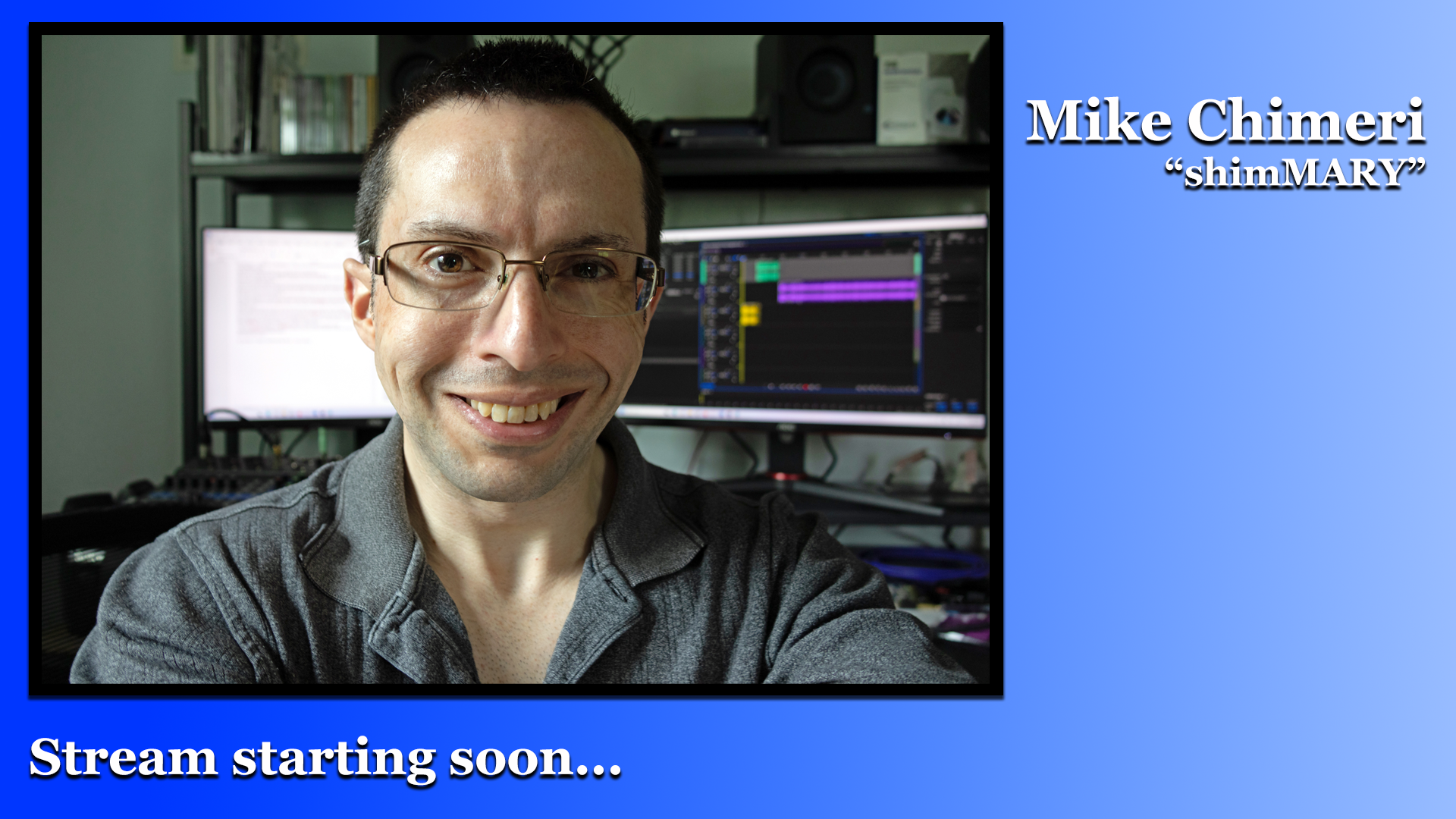
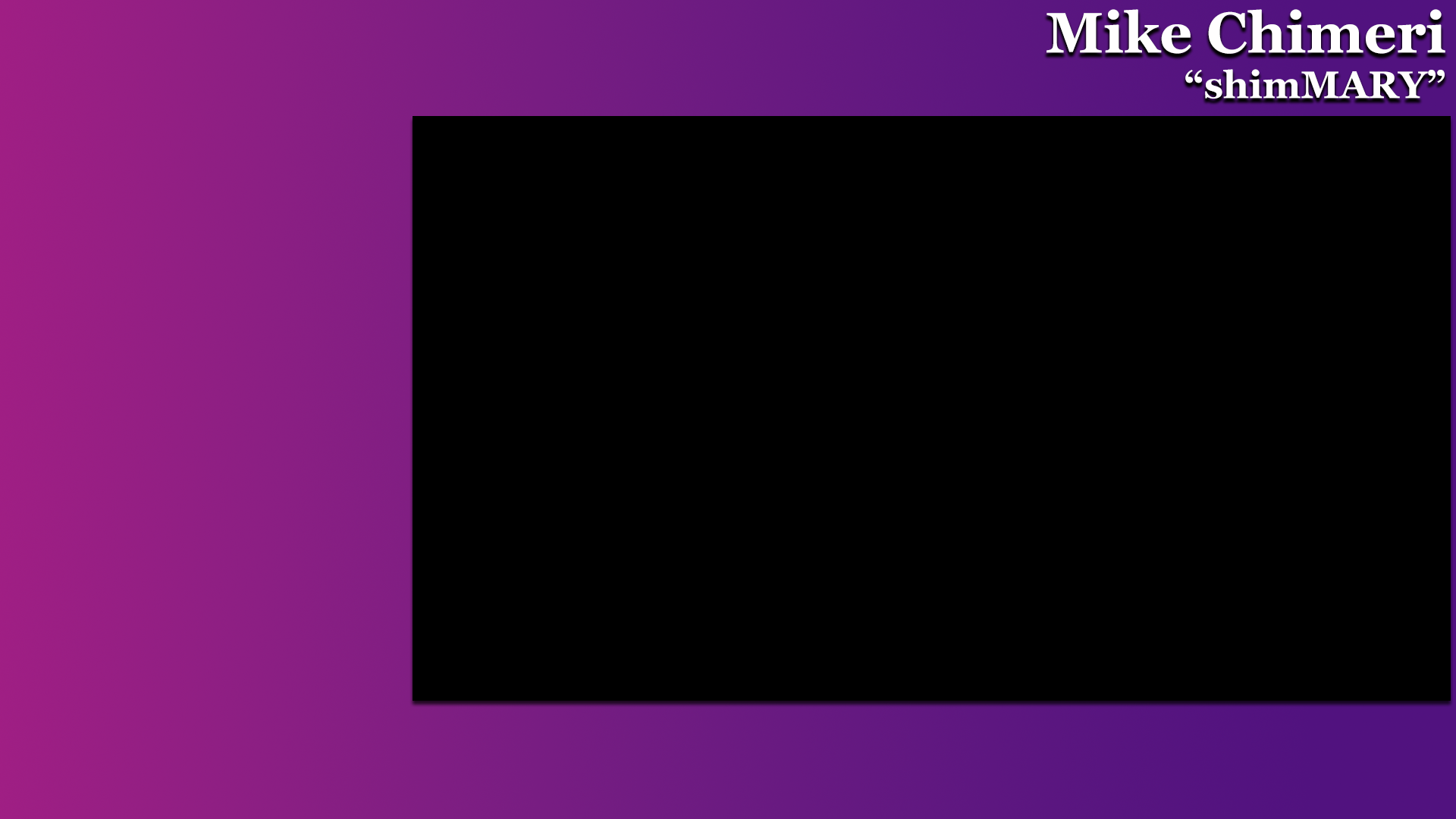




The webcam video is accordingly cropped in OBS for just chatting (background 2) and gameplay/media production (backgrounds 3 and 4; plus a Firefox background I didn’t include here). Game capture (and prerecorded gameplay videos), Adobe Audition, Word, display capture, and other programs are scaled down to fit their box and Firefox is cropped. StreamElements and Twitch overlays, widgets, and alerts are placed in different spots depending on the background. Additional text is added in OBS where necessary (i.e. prerecorded gameplay disclaimer, notable commands [in place of followers goal widget], milestone stream banners). Chat emote animation is full screen and lasts for ten seconds. Sound commands also require an overlay to be heard. Alerts were initially handled entirely by SE, but moved to Twitch in March 2024. The SE donation alert was reinstated during my 300th stream on 2/26/25.
I used Elgato 4K Capture Utility (available for download here) to play in real time on the right monitor until relying solely on OBS. I create a windowed projector and enlarge it on my right monitor where it’s placed in front of Google Chrome where I use the Twitch Stream Manager webpage. (I only have the window fill the screen if game text is unreadable.) To avoid sync issues, a separate element was made for 4K X audio (more on that two paragraphs below). Desktop audio is advanced by around 400ms (-400ms), also to avoid sync issues, although that is not utilized as often thanks to OBS’s “capture audio” option for window capture elements.
The Elgato 4K X only allows access to one app at a time. So, I initially used the NDI 6 Runtime plugin for OBS and click “Enable Stream Pair” in 4K Capture Utility. It was seen and heard as an “NDI Source” – that I named “Elgato 4K X” – in all gameplay-related scenes. I’m forced to use external devices on my Alienware Aurora R16 because the RTX 4080 SUPER graphics card blocks the remaining PCIE slots. As noted in the previous paragraph, I eventually abandoned this practice and relied solely on OBS, only using 4K Capture Utility to play games off stream if I don’t intend on recording. (11/21/25 NOTE: I now use the plugin for Dancing with the Stars watchalong streams, such as the one for season 34‘s fifth week on October 14 and the finale on November 25.)
While using the AVerMedia Live Gamer Ultra 2.1 from 12/31/24 to 1/6/25, I noticed a gradual audio desync problem with certain consoles – something not present in VODs or off-stream recordings. That required me to make a separate audio channel for the capture card, a solution I learned via this message board post. I bought the Live Gamer 2.1 for capturing to my laptop. With a working desktop, laptop captures and streaming will likely occur in the basement or away from home. (7/23/25 NOTE: One such “away from home” stream was from my hotel room in Connecticut on May 3 between Smooth Jazz for Scholars shows.)
Shure 7MdB audio is filtered in OBS with three filters from the Accusonus ERA 6 Bundle: Mouth De-Clicker at 55% processing in normal mode, De-Esser Pro at 50% processing, and Noise Remover Pro at around 40% processing. (That last filter doesn’t show a percentage.)
I hope that answers all your questions. Thank you for watching my streams. I’ll leave you with a screenshot of an OBS test the night before my third stream.

7/23 and 11/30/25, 3/30/26 UPDATES: As a bonus, I’m including my latest setup photos.




 MikeChimeri.com
Comments»
No comments yet — be the first.